Developer Kit · $9
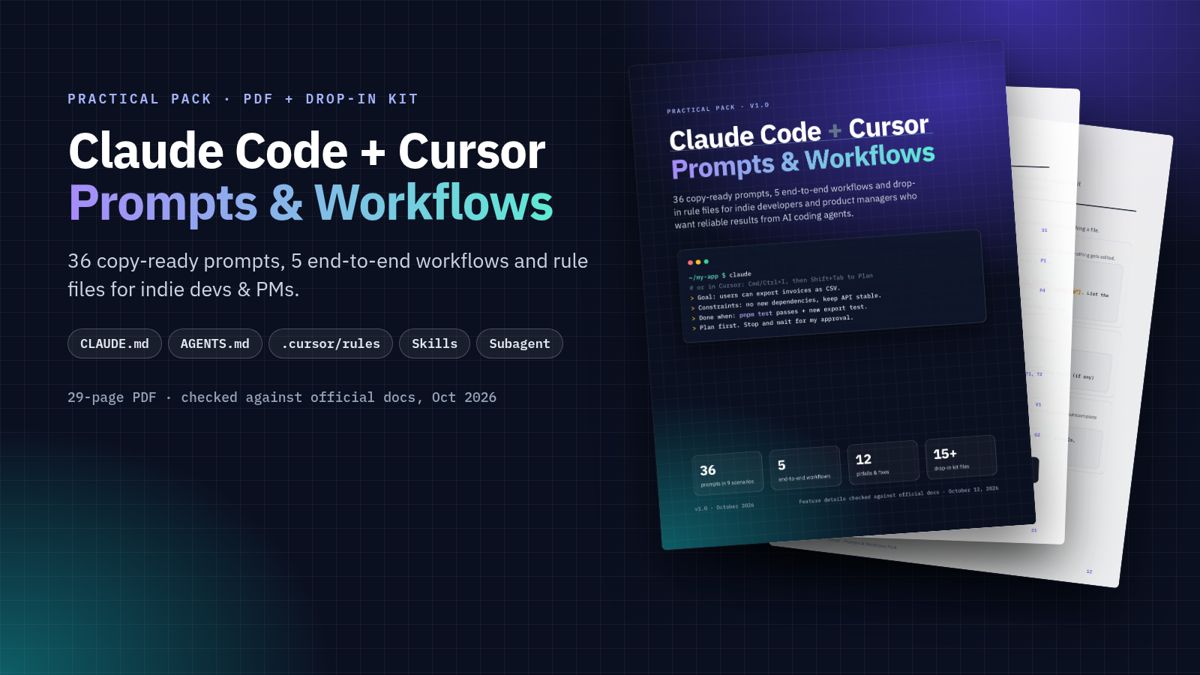
Stop Blank-Staring at Claude Code & Cursor — Paste These Prompts & Ship
39 prompts · 9 workflows · drop-in rules
Format: PDF + ZIP · Instant download
Also available
30 Hooks for AI News Shorts — 30 fill-in openers for TikTok, Reels, Shorts & X. Hooks only — not full scripts. $1.
See the $1 hooks pack →AI coding agents are fast. They also edit the wrong files, “fix” bugs by changing tests, and forget a rule you stated an hour ago.
This pack is a small set of files and habits: prompts you paste, workflows with a “done when”, and config you drop into a repo. If you use Python or Go instead of TypeScript, it shows which lines to swap.
For indie developers, solo founders, and PMs who already open Claude Code or Cursor (or are about to).
Why this pack
- Windows install fix (Oct 2026): PowerShell copy includes hidden
.cursor//.claude/; clearer post-copy check. - Also includes: beginner path, Python/Go swaps, Prettier hook off by default, Mods “start later” warning, git prompts G1–G5, hotfix + dependency workflows, auto mode + Mods notes, Cursor review options.
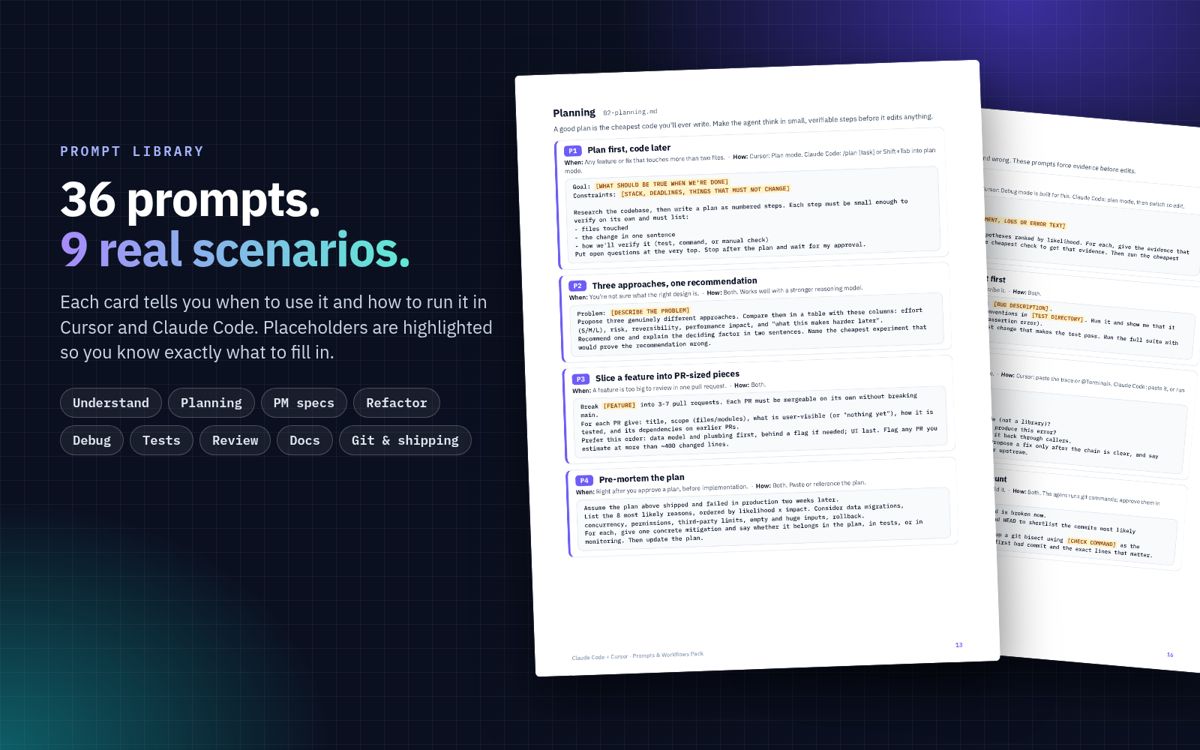
- 39 prompts across understand, plan, PM specs, refactor, debug, tests, review, docs, git/shipping. Each card says when to use it and how to run it.
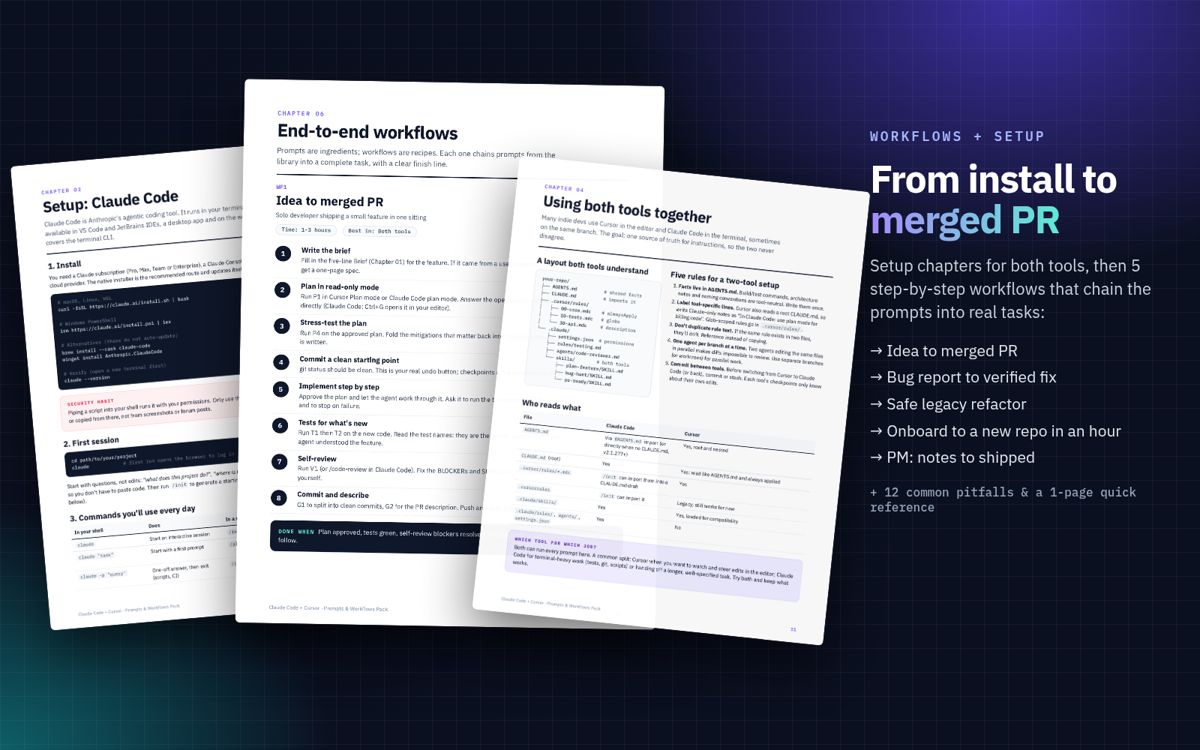
- 9 workflows with a finish line: idea → PR, bug → fix, safe refactor, onboard in an hour, PM notes → release notes, hotfix, dependency bump, small safe change in under an hour, review an incoming PR with an agent.
- The Brief: Goal / Context / Constraints / Done when / Output, plus filled examples.
- One kit for both tools: shared
AGENTS.md, thinCLAUDE.md,.cursor/rules/*.mdc, skills under.claude/skills/. - Checked against official docs on October 13, 2026 (Claude Code through v2.1.296). Not every feature was re-run live; the PDF says so.
- PM prompts: one-page PRDs, Given/When/Then stories, edge cases, spec-vs-build audits, release notes.
- 12 pitfalls with concrete fixes (endless chats, fat rule files, checkpoints ≠ git, agent editing tests, and more).
What’s included
1. The PDF guide
- The Brief + filled examples
- Claude Code setup (finer install steps, modes, CLAUDE.md, rules, skills, hooks off by default, Mods with beginner warning)
- Setup: Cursor. Agent / Ask / Plan / Debug modes, @-mentions, project rules (.mdc), AGENTS.md, legacy .cursorrules, skills, checkpoints, CLI
- Using both tools together + adapting the kit for Python, Go and similar
- Prompt library: 39 prompts plus a blank Brief template
- 9 end-to-end workflows
- 17 common pitfalls and their fixes
- One-page quick reference, plus sources
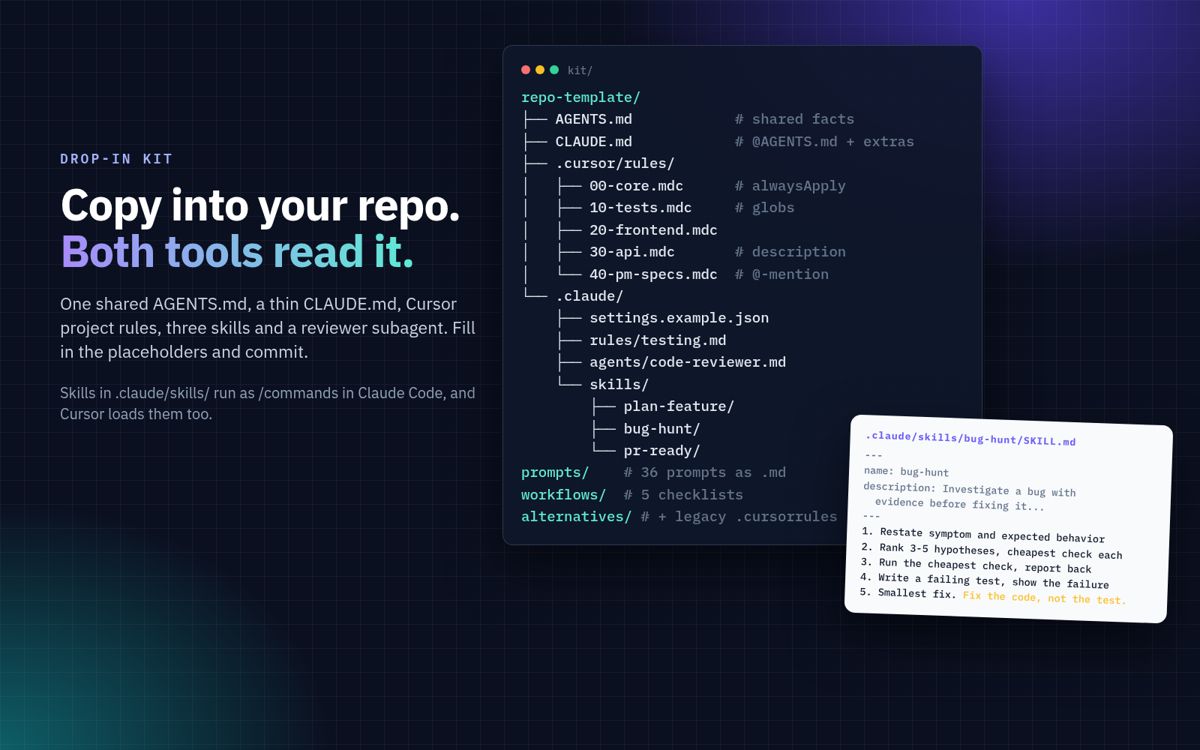
2. The drop-in kit (markdown and config files)
AGENTS.md: shared project-instructions templateCLAUDE.md: thin version that imports AGENTS.md, plus a standalone Python-shaped version for Claude-only users.cursor/rules/: 5 project rules (always-apply core, tests, frontend, API, PM specs).cursorrules: legacy single-file version for older setups.claude/skills/:/plan-feature,/bug-hunt,/pr-ready.claude/agents/code-reviewer.md: reviewer subagent with no edit tools.claude/rules/testing.mdandsettings.example.json(permissions only; Prettier hook optional inalternatives/), plus Manual-mode starting configprompts/: all prompts as markdown, one file per scenario, with an indexworkflows/: the 9 workflows as checkboxes
3. Cheat sheet (bundled)
The 2-page Claude Code + Cursor Cheat Sheet (PDF) is included inside the paid pack download (same ZIP as the guide and kit). It is not a separate free download on this site.
Format: PDF + ZIP. Works on macOS, Windows and Linux. Instant download.
FAQ
Do I need both Claude Code and Cursor?
No. Every prompt and workflow works in either tool. The setup chapters cover each separately, and the kit includes standalone options for each.
I’m on Python / Go, not TypeScript. Will this work?
Yes. There is a replace-this-with-that section for AGENTS.md, Cursor globs, and settings allow lists. Same pattern for other stacks.
I’m new to AI coding tools. Is this too advanced?
Setup starts at install and the first session. The PDF gives a “do this order” path and a “don’t touch yet” list (Mods, hooks). If you can open a terminal and a project folder, you can follow along.
I’m a PM, not an engineer. Is it useful for me?
Yes. A whole prompt category and one full workflow are written for PMs and founders. You can run them in Cursor’s read-only Ask mode, or in Claude Code’s plan mode, without changing any code.
Which versions does it cover?
Checked against Claude Code docs/CHANGELOG (through v2.1.296) and Cursor docs on October 13, 2026. Covers auto mode (v2.1.283+) and Mods (v2.1.287+). If your build differs, the official docs win.
Will it be updated?
Updates to this pack are free; existing buyers get them via their Creem download link.
Can I use the templates in client or company projects?
Yes, in any of your own personal or commercial projects, including client work. You may not resell or redistribute the pack itself.
Is this an official Anthropic or Cursor product?
No. It’s an independent guide and isn’t affiliated with or endorsed by Anthropic or Anysphere (Cursor).
Does it include model comparisons or pricing advice?
No. Pricing, plan limits and model rankings change too often to print.
What’s your refund policy?
Full refund within 14 days of purchase — contact support@aiinfoshare.dev. See the Terms.
Using OpenAI Codex?
Stop Prompting Codex From Scratch — 20 Skills Ready to Paste — 20 skills · 10 workflows · from-zero install.
See the Codex pack →Questions? support@aiinfoshare.dev